


NetBenefits - Fidelity at Work
4.07.83K Reviews
App Specs
- Version
- 4.35.2
- Updated On
- License
- Free
- Downloads
- 1,000,000+
- Developer
- Fidelity Investments
- Categories
- Finance
- Platform
- Android, iOS
Screenshots
 Analysis by AppCompare
When I first looked at NetBenefits - Fidelity at Work, I treated it less like a general investing app and more like a place to check the work-related accounts I already had with Fidelity. That distinction matters: if your employer’s retirement plan is the reason you’re downloading it, the app can bring the important account details closer to hand. If you want a broad trading hub for every financial provider you use, it may not be the right starting point.
Getting Started with NetBenefits
NetBenefits is a free finance app from Fidelity Investments. It has a 4.1 average from around 25,000 ratings, and more than a million installs. It is rated for Everyone, first appeared in 2013, and the current version is 4.33.0, with Android 12 as the minimum OS. Those details make it easy to check basic compatibility before you begin, but the more important first question is whether you have Fidelity workplace accounts to manage.
What to expect from a workplace account app
The app is built around access to Fidelity workplace accounts, rather than serving as a universal window onto all of your money. I’d approach it as a practical companion for checking a retirement plan and handling relevant account tasks, not as a replacement for a complete household budget or a portfolio tracker that combines unrelated institutions. Fidelity’s name is on the app, but the accounts and tools available to you depend on the workplace relationship and account you sign in to.
That focus can be a real advantage. When I want to check a work plan, I don’t necessarily need charts for every bank account or a stream of market headlines. A focused account view can make the quick task—confirming that I’m looking at the right workplace plan, for example—less cluttered. The trade-off is that people without a Fidelity workplace account may find little reason to keep the app installed.
First setup: get to the right account
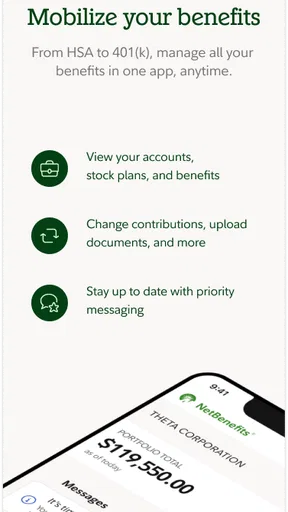
First things first, setting up NetBenefits - Fidelity at Work is a breeze. All you need is your Fidelity account info, and you're good to go. The app is available on both Android and iOS, so no worries about compatibility. Once you're in, the interface is pretty intuitive. It's designed to give you a quick overview of your retirement accounts, investments, and any other financial products you have with Fidelity.
For a first-time user, I’d make the first session deliberately simple: sign in, confirm that the workplace account shown is the one you expected, and look around before trying to change anything. If you use more than one login or have both workplace and personal Fidelity accounts, take a moment to make sure you are viewing the relevant account. That small check helps prevent a familiar but easy-to-miss mistake: interpreting a balance or activity from one account as though it belonged to another.
I also wouldn’t treat a successful install as proof that every account detail will immediately make sense. Workplace plan terms can be unfamiliar, and the words used in a benefits account may not match the labels in a banking app. If a figure looks surprising, open the relevant account details and review the context before making a decision. The app is useful for access; understanding what a plan entry means still takes care and, when needed, a question to the appropriate support channel.
Worth Reading Before You Choose

EA SPORTS FC Mobile 26 Is a Bigger Football Game, but It Takes Time

Flipboard Shows What News Apps Must Do Beyond the Feed

Switching to Android Auto Means Rethinking Your Driving Routine

Google Calendar Makes a Crowded Week Easier to Manage

Ludo King Makes the Most of the Minutes Between Plans

Baby Panda World Brings Quick Play to Modern Phones, but Its Game Library Feels Busy
Your first useful check
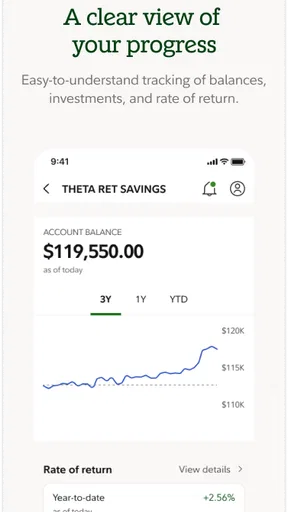
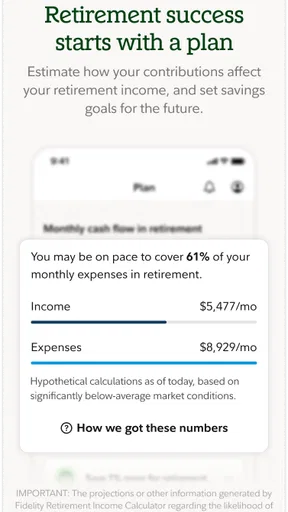
One of the standout features is the dashboard. It’s like having your financial life at a glance. You can easily see your portfolio balance, recent transactions, and even get a sneak peek at your projected retirement income. This is super handy if you’re planning for the future and want to stay on top of your goals.
A realistic first win is simply checking the account after a paycheck or benefits update and comparing the latest activity with what you expected. I find that more useful than opening the app just to stare at a balance: it gives the visit a purpose and helps me notice whether a contribution or transaction appears as expected. If the timing doesn’t line up with payday, I’d avoid assuming something is wrong straight away; account activity and payroll timing are not always the same moment.
The dashboard is best treated as a starting point, not a complete explanation. A balance tells you where things stand at a glance, while recent activity gives you a clue about what changed. Looking at both together is a more grounded habit than reacting to one number by itself. For someone who checks infrequently, that quick pairing can turn a vague “I should look at my retirement account” intention into a manageable routine.
Learning before making a change
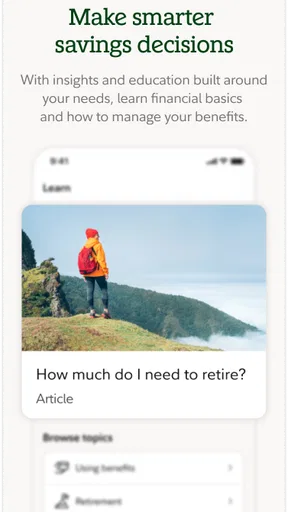
Another cool feature is the educational resources. Fidelity has packed the app with articles, videos, and tools to help you make informed decisions. Whether you’re a newbie or a seasoned investor, there’s something here for everyone. You can learn about anything from asset allocation to the latest market trends.
I’d use those materials as a way to clarify the choices in front of me, not as a reason to make a rushed change. A helpful workflow is to identify the term or decision you don’t understand, look for relevant learning material, then return to the account with a more specific question. That is especially useful if you are new to workplace investing and are trying to distinguish a long-term allocation decision from a short-term market reaction.
There is a limit to what general education can do: it can explain concepts, but it cannot automatically tell you what suits your circumstances. If you are unsure about a plan choice, I would slow down rather than treating an in-app article as personalized advice. The app is more valuable when it helps you become a better-informed participant in your own decisions.
Managing activity with care
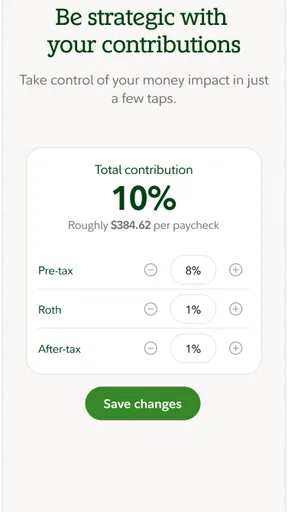
Now, let’s talk about managing investments. The app makes it simple to track your contributions and make changes as needed. You can adjust your investments, rebalance your portfolio, and even set up automatic contributions right from your phone. It’s all about making your financial life as seamless as possible.
That convenience is also a reason to be deliberate. A phone makes it easy to check an account in a spare minute, but changing an investment mix is different from glancing at activity. I’d use mobile access for a change only when I know what I intend to do and have reviewed the relevant options, rather than making a decision because a market move caught my attention. For routine monitoring, a quick check may be enough; for a consequential choice, taking time to read carefully is the better trade-off.
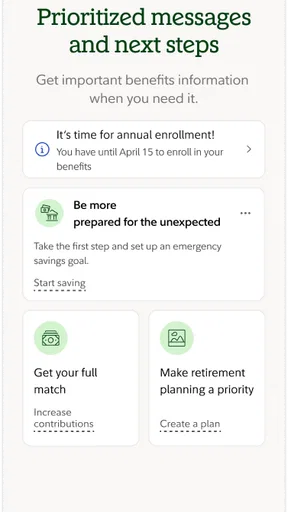
There’s also a nifty feature that lets you set up alerts. Want to know when your account hits a certain value or if there's a major market shift? You can customize alerts to keep you informed without constantly checking in.
Alerts are most useful when they answer a question you already have. I’d choose a small number of signals that would prompt me to review the account, rather than turning every notification into a reason to react. This keeps the app in the role of a reminder instead of letting it interrupt the day or encourage decisions based on noise. If you prefer to check on your own schedule, alerts may add little; if you tend to forget to review a workplace plan, they can make follow-through easier.
How it fits beside other finance apps
Compared with a bank app, NetBenefits has a narrower job: it focuses on workplace accounts and investment-related information rather than everyday spending and bill payments. Compared with a general brokerage app, its strongest reason to be on your phone is the workplace plan connection, not necessarily a broad set of tools for trading across providers. And compared with a spreadsheet or a manually maintained tracker, it offers direct account access, while a spreadsheet can still be better for combining figures from several institutions in one custom view.
I wouldn’t force one app to do all three jobs. If your main goal is checking a Fidelity workplace account, this focused option makes sense. If you want to see cash flow across several banks, build a detailed household budget, or compare accounts from different providers, a dedicated budgeting or aggregation tool is likely a better fit. The useful choice is the one that matches the task, not the one with the most screens.
Security, support, and practical limits
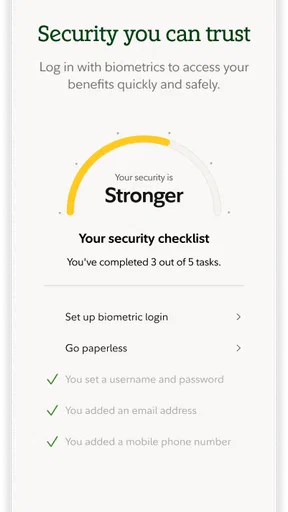
Security is always a top priority, and Fidelity doesn’t skimp here. The app uses top-notch encryption to keep your data safe. Plus, there’s multi-factor authentication for that extra layer of security. If you ever run into issues, their customer support is just a tap away. You can access help via chat, phone, or even browse their FAQs for quick answers.
Even with those safeguards, I’d keep the same habits I use for any financial account: protect my sign-in details, avoid leaving a session open on a shared device, and pause before approving a request I don’t recognize. Security tools reduce risk; they don’t remove the need to pay attention. For account-specific questions, support is more appropriate than guessing from a screen, while general navigation questions may be quicker to resolve by exploring the app’s help resources.
A practical limitation is that a workplace-focused service is only as useful as the account access and plan information available to you. Someone looking for a complete view of debts, monthly bills, savings, and investments across unrelated providers should not expect this app alone to supply that picture. It can be a useful part of a financial routine without being the whole routine.
The user experience in everyday life
In terms of user experience, the app is pretty smooth. The layout is clean and the navigation is straightforward. Even if you’re not super tech-savvy, you’ll find it easy to use. It’s designed to be efficient, so you can spend less time managing your money and more time doing what you love.
For a first-time user, I’d aim for a modest rhythm rather than checking constantly: open it when you have a reason, review the account and recent activity, and leave with one clear answer. Maybe that answer is that the latest contribution is visible; maybe it is that you need to ask a question about a plan term. Either outcome is more useful than repeatedly refreshing a screen without knowing what you are looking for.
The app is a stronger fit for employees who want convenient access to their Fidelity workplace accounts and are comfortable handling basic account checks on a phone. It is less compelling for someone who has no workplace account there, wants a cross-provider dashboard, or prefers to do investment decisions on a larger screen with more room to compare details. I’d still keep a computer option in mind for careful research or a longer review; mobile convenience is best for access and routine follow-up.
My overall take
"The ease of use and comprehensive features make NetBenefits a must-have for anyone serious about managing their finances."
All in all, NetBenefits - Fidelity at Work is a solid app for anyone looking to keep a close eye on their financial future. It’s packed with features that make managing your investments easier than ever. Whether you're planning for retirement or just trying to get a handle on your finances, this app has got you covered.
So, if you're ready to take control of your financial journey, give NetBenefits a whirl. Your future self will thank you!
Who should make it their next download?
I’d recommend it first to someone who already knows that Fidelity handles their workplace plan and wants a convenient way to check it between formal account reviews. It also suits a beginner who wants to become more familiar with contributions and investment terms without starting with a complex portfolio tool. A useful next step after the first successful check is to choose one question to investigate—such as what an unfamiliar activity label means—then use the available learning or support options before changing anything.
I’d skip it if you are simply searching for a general-purpose finance app, have no relevant Fidelity workplace account, or mainly need spending categories and bill tracking. Installing it won’t by itself organize finances held elsewhere, and it shouldn’t be treated as a substitute for understanding plan decisions. For those needs, a budgeting app, a provider-neutral tracker, or a larger-screen account session may be the more practical choice.
My bottom line is straightforward: start with one calm login, confirm you are in the right account, and make your first visit about understanding what is already there. If that gives you a useful view of your workplace plan, keep it as a focused companion. If you leave still needing a combined picture of your whole financial life, pair it with a tool designed for that broader job rather than expecting NetBenefits to be something it isn’t.
Pros
- User-friendly interface for easy navigation.
- Comprehensive financial tools for planning.
- Real-time updates on account performance.
- Secure login with multi-factor authentication.
- Easy access to customer support.
Cons
- Limited features in the mobile app version.
- Occasional glitches during peak hours.
- Requires frequent updates for new features.
- Some features need a desktop for full access.
- Can be overwhelming for new users.
FAQs for NetBenefits - Fidelity at Work
What is NetBenefits - Fidelity at Work and who can use it?
NetBenefits - Fidelity at Work is a comprehensive financial management app designed for individuals who have workplace benefits managed by Fidelity Investments. It allows users to manage their retirement accounts, track investments, and access a range of financial planning tools. The app is specifically tailored for employees whose employers offer Fidelity as a benefits provider.
How secure is my personal information on NetBenefits?
NetBenefits employs robust security measures to protect your personal and financial information. This includes encryption, secure logins, and two-factor authentication. Fidelity Investments is committed to maintaining the highest standards of data privacy and security, ensuring that users can confidently manage their investments without worrying about unauthorized access.
Can I make transactions directly through the NetBenefits app?
Yes, the NetBenefits app allows users to perform a variety of transactions, including changing investment allocations, transferring funds between accounts, and making contributions to savings plans. The app provides a user-friendly interface to manage transactions securely, making it convenient for users to update their financial plans on the go.
Does the NetBenefits app offer financial planning tools?
The NetBenefits app includes a rich set of financial planning tools designed to help users make informed investment decisions. These tools offer insights into retirement readiness, goal setting, and progress tracking. Users can also access educational resources and personalized advice to optimize their financial strategies.
Is customer support available if I encounter issues with the app?
Fidelity offers extensive customer support for NetBenefits users. If you encounter any issues or have questions, you can access support via phone, chat, or email. The app also features a comprehensive help section with FAQs and troubleshooting guides to assist users in resolving common issues.


